5 моих любимых дистрибутивов Linux для искусственного интеллекта – и почему
- Правильный дистрибутив Linux может упростить настройку локального искусственного интеллекта.
- Некоторые дистрибутивы упрощают настройку графического процессора или помогают запускать искусственный интеллект в контейнерах.
- В некоторые дистрибутивы встроены инструменты искусственного интеллекта, хотя настройки различаются.
Пять дистрибутивов Linux, которые я рекомендую для AI, - это Pop!_OS, Fedora, CachyOS, MainstreamOS и Linux-AI OS. Если вы хотите запустить AI локально с минимальными настройками, начните с Linux-AI OS, которая поставляется с Ollama. Если вы настраиваете локальный искусственный интеллект на ПК с графическим процессором Nvidia, я рекомендую использовать Pop!_OS для установки, предназначенной специально для Nvidia.
Как бы вы ни старались, избежать влияния искусственного интеллекта становится все труднее. Он встроен в большинство приложений, служб и операционных систем, которые мы используем. Искусственный интеллект используется в Windows в качестве второго пилота, а в macOS - в качестве Apple Intelligence. Это также начинает внедряться в Linux.
Также: 6 рабочих процессов агента искусственного интеллекта, которые я использую для выполнения повседневных задач
1. Pop!_OS для локального искусственного интеллекта с графическим процессором NvidiaSystem76 создала Pop!_OS означает "создатели". Конечно, когда технические специалисты говорят "создатели", они обычно имеют в виду разработчиков. Однако привлекательность этого дистрибутива для создателей выходит далеко за рамки разработчиков. Я писатель и регулярно пользуюсь Pop!_OS.
Важно понимать, что вы можете загрузить одну из двух версий операционной системы: одну для графических процессоров AMD и одну для графических процессоров Nvidia. Для локального искусственного интеллекта я рекомендую использовать графический процессор Nvidia.
Также: 6 дистрибутивов Linux без искусственного интеллекта, которые я рекомендую больше всего
Перед установкой Pop!_OS убедитесь, что вы загружаете правильный ISO-код для своего графического процессора. Таким образом, вы можете быть уверены, что нужные драйверы будут установлены автоматически.
Эта простота - главная причина, по которой я включил Pop!_OS в список (что ж, это великолепно). Если вы планируете использовать локально установленный искусственный интеллект, перейдите сразу к аппаратному обеспечению Nvidia и используйте Pop!_OS Nvidia ISO.
2. Fedora для работы с ИИ в контейнерахГлавное, что вам нужно знать о Fedora is that the organization has created the Fedora AI Developer Desktop Initiative. New AI-centric Fedora Atomic Desktops will come out of this program.
These desktops haven’t been released yet. But you can bet that when they’re released, Fedora will do it right.
The main goal of the Fedora AI Developer Desktop Initiative is to build a thriving community around AI technologies. This community will focus on equipping developers with the tools to make AI applications easier to deploy and use.
Also: ‘I use AI to do the things that I’m bad at,’ says Linus Torvalds
This initiative started in March, so I would expect some developments to come to light soon.
In the meantime, Fedora is still a good option for AI because of its powerful container support and dedication to security.
3. CachyOS for desktop AI with Nvidia or AMD GPUsFirst off, CachyOS is the fastest desktop operating system available. The developers have made several tweaks to boost performance, and they’ve hit the nail on the head.
Because of its highly customized kernel, CachyOS delivers speed unlike any other operating system, and the more speed you can give AI, the better off you’ll be.
Also: Why the future of Linux is rolling – thanks to AI
But CachyOS isn’t just about speed. You also get the latest Nvidia (CUDA) and AMD (ROCm) drivers, which are crucial for running AI successfully on the desktop. Those latest and greatest drivers mean you won’t have to go on any wild goose chases to find what you need.
Another great thing about CachyOS is that it autodetects your GPU and installs the best drivers, so you don’t have to worry about doing so before installing or using AI. Although you don’t get any preinstalled AI services, CachyOS’s drivers and speed go a long way toward improving the AI experience.
4. MainstreamOS for local and cloud AI in a sidebarMainstreamOS gives you a built-in AI sidebar. The one caveat is that if you want to use a cloud AI service, you have to connect the sidebar to your AI account. The MainstreamOS AI system lets you use locally installed AI (such as Ollama) or a service such as Gemini, Claude, Codex, or Mistral.
If you opt for local AI, make sure your machine has the power to support it. You certainly do not want to run a query and have your system bog down to the point that it becomes unusable.
Also: 5 premium Linux distros absolutely worth paying for
The second thing MainstreamOS does is make using the Hyprland window manager a breeze (which is traditionally a complicated window manager).
With MainstreamOS, the AI is served as a sidebar that you can call or dismiss with ease. Bring up the AI sidebar, submit your query, read the results, and dismiss the sidebar. There’s no need to install any extra apps to use a cloud service. Just connect the sidebar to your AI account of choice, grab an API key, paste it into the AI configuration, and you’re good to go.
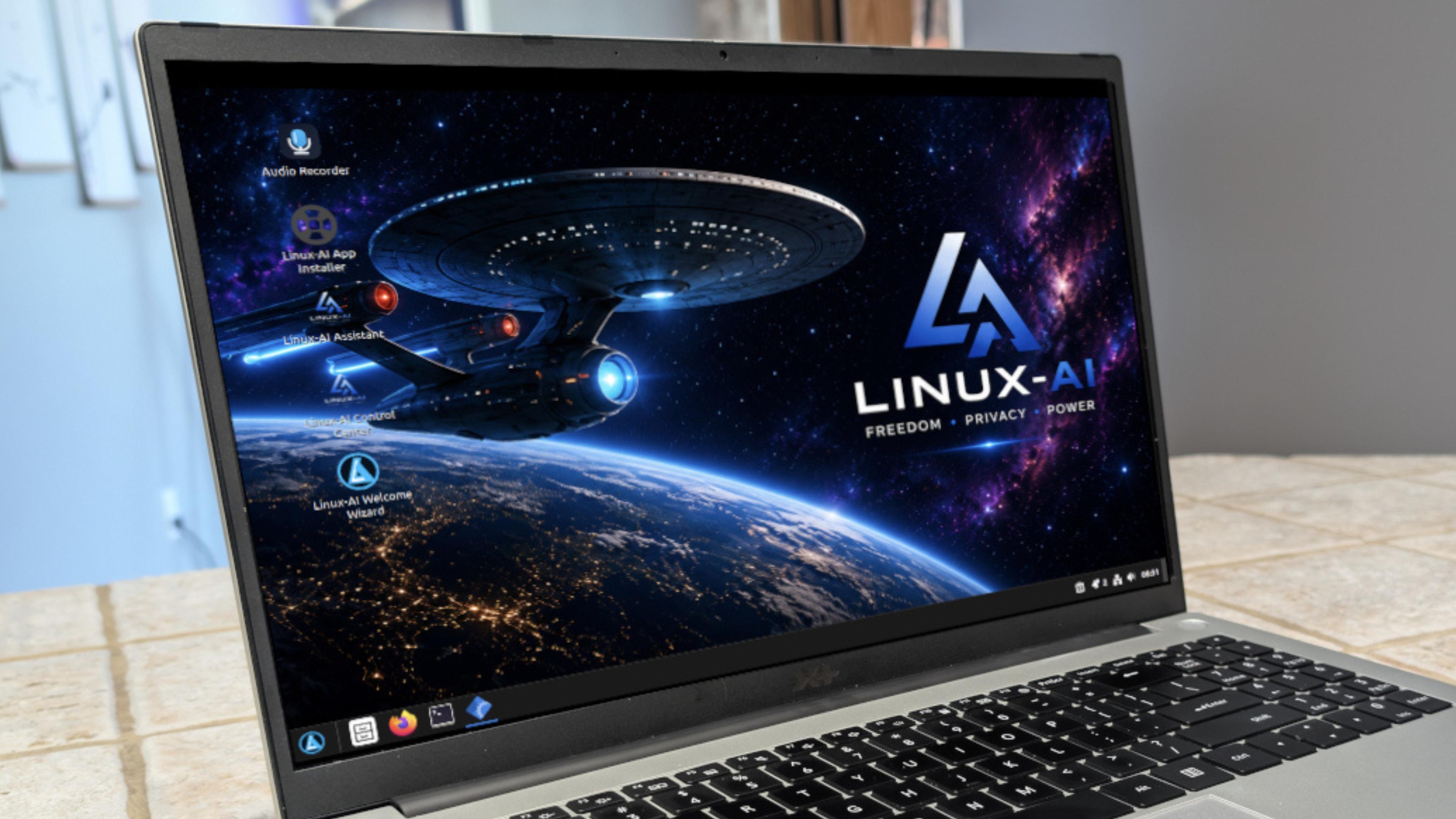
5. Linux-AI OS for local AI with Ollama out of the boxLinux-AI OS is one of the newest distributions on the block, but it certainly doesn’t feel that way. This distribution uses AI sparingly but effectively. For example, you get Ollama installed locally and connected to the app out of the box, so no extra configuration is required.
With Linux-AI OS, you install the operating system, log in to your account, and start using AI. It’s about as easy as AI gets.
Also: Stop local AI from crashing your Linux PC – 4 tips
As with the other distributions on this list, make sure to install Linux-AI OS on hardware that can handle the task. No matter how small or large your model, it still needs resources to support the heavy lifting.
But if you want out-of-the-box AI on Linux, you can’t go wrong with Linux-AI OS.
>