Я попробовал новый дистрибутив Cutefish Linux, и, возможно, это лучший клон macOS в мире
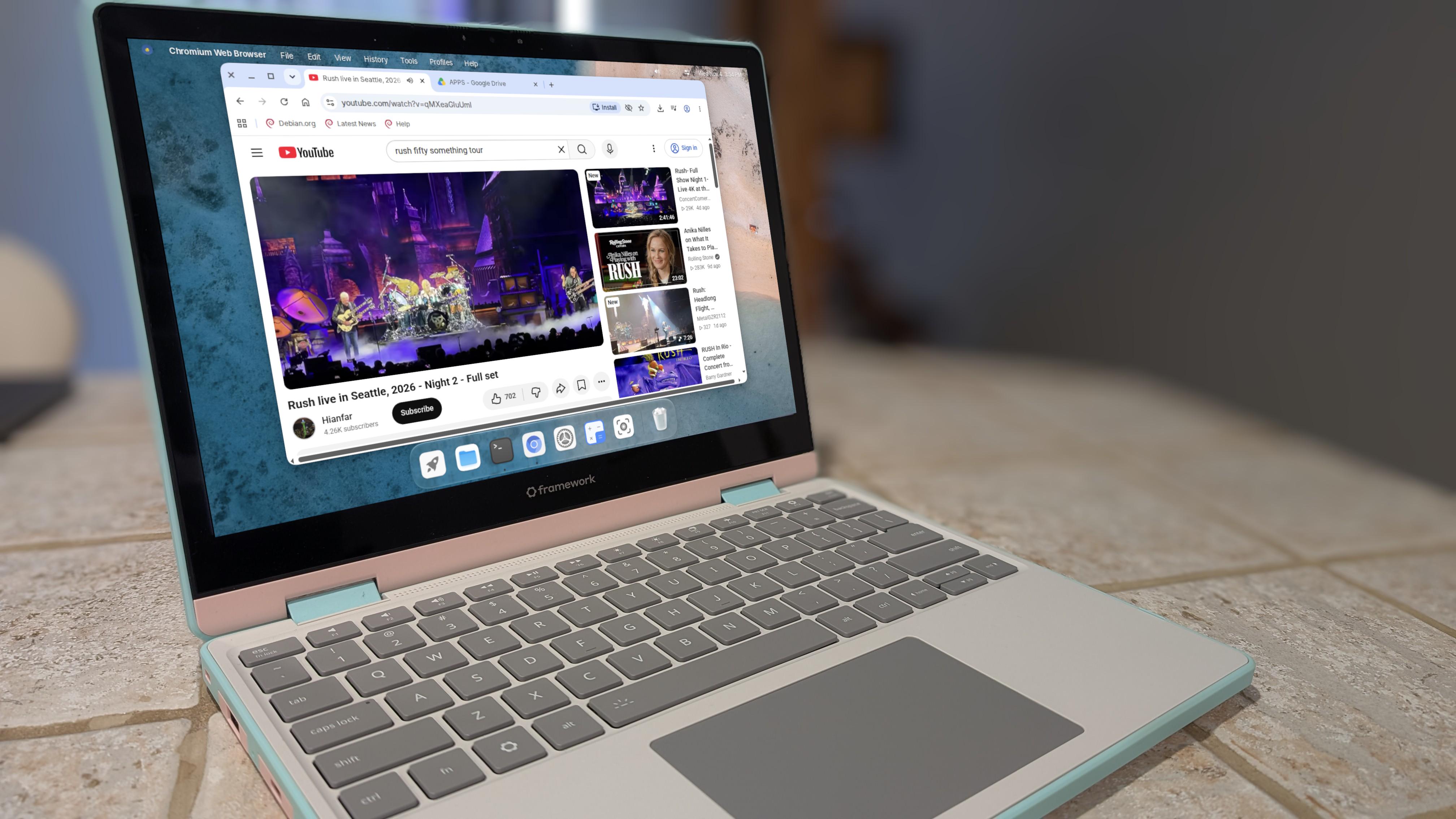
- Cutefish - это новая версия Cutefish с большим дополнением.
- Несмотря на раннюю стадию разработки, она демонстрирует серьезный потенциал.
- Вы можете установить и использовать раннюю версию бесплатно.
Давным-давно существовала CutefishOS, которая должна была стать клоном macOS для Linux. Этот проект просуществовал недолго, что было досадно, потому что пользовательский интерфейс показал такой большой потенциал. Что ж, команда разработчиков подхватила инициативу, и на свет появилась Cutefish.
Также: Cutefish OS - это самый симпатичный дистрибутив Linux, который вы когда-либо использовали
Однако Cutefish - это нечто большее, чем просто тема для macOS в Linux. Да, она очень похожа на macOS (даже с примесью Liquid Glass), но у разработчиков действительно впечатляющие планы на распространение.
Прежде чем я продолжу, знайте, что Cutefish находится на ранней стадии разработки, и то, что разработчики пытаются сделать, дается нелегко. Они даже в своем официальном блоге так много пишут:
"Приложение для Mac само по себе делает очень мало. Чтобы открыть окно, отобразить меню, нарисовать строку текста или определить, какой сегодня день, в macOS используются: AppKit для Windows и элементов управления, Foundation для текста, дат и файлов, Core Graphics для рисования, SwiftUI для новых интерфейсов и десятки других платформ. Ничего этого нет в Linux. Чтобы запустить приложение для Mac, мы должны сами предоставить все это, и оно должно вести себя так, как это делает macOS. Если наш ответ хотя бы немного отличается, приложение неправильно отображает свое окно, ничего не отрисовывает или вылетает."
Программный уровень, на котором это происходит, называется Reef и представляет собой пользовательскую реализацию Cutefish фреймворков macOS (включая поддержку AppKit, Foundation и SwiftUI), предназначенную для запуска неизмененных приложений Mac в Linux без эмуляции процессора. Команде удалось запустить несколько приложений с Reef, но до сих пор не выпущена версия Cutefish, которая включала бы повторную реализацию.
Также: PearOS - это macOS для Linux, и последняя версия лучше, чем когда-либо
На что способна Cutefish в настоящее времяНа данный момент Cutefish отлично справляется с ролью полноценной настольной операционной системы Linux, которая также обладает прекрасным рабочим столом, похожим на macOS. Поскольку он основан на Debian, вы можете установить загруженные файлы DEB или установить их с помощью apt package manager. Хотя в настоящее время нет менеджера пакетов с графическим интерфейсом, вы всегда можете установить такой, как Synaptic, с помощью:
sudo apt install synaptic -yЯ даже установил свое приложение Quillmark (из файла DEB), и оно работало отлично.
Essentially, Cutefish can be your basic Linux desktop operating system and look stylish doing so. Should you use it as your daily driver? Probably not, as it’s too early in the development process for that. You could certainly install it and use it for non-production purposes, such as social media. Using it for writing research papers or for anything where losing even a byte of data would be catastrophic? No.
What Cutefish cannot currently doThe big thing it cannot do yet is run MacOS apps. Even though the developers have shown that they have the functionality in place, they’ve yet to release a version of Cutefish that includes Reef. You can read about the first milestone achieved on this front in this blog entry.
Also: How to make Linux look like MacOS for free – with simple ZorinOS tweaks
I did give it my best effort to get MacOS apps running, but without the ability to install Reef, it’s simply not possible.
How will that work? According to the developers, it’s as simple as it is on MacOS:
- Download a .dmg file
- Double-click the disk image in Files
- Drag the app into the Applications folder
- Open the app from the desktop menu
The developers have successfully run NetNewsWire, Ghostty, Keka, Speedtest by Ookla, and CotEditor.
Also: I tested GNOME’s glassy new look – and it’s simply spectacular
Currently, Reef stands at 460,000 lines of the developer’s own code across more than 80 frameworks. Ten days prior to that, it was only 300,000 lines of code, so they are making serious progress.
Why I’m excited about CutefishFirst off, I adored CutefishOS; the UI was beautiful, and it showed all kinds of potential that eventually faded into the shadows. That CutefishOS has been reborn as Cutefish alone makes me happy. Any time a beautiful Linux desktop environment is brought to life, I get excited. The fact that the developers are working on making it possible to run MacOS apps on Cutefish is the icing on an already delicious cake.
Imagine running apps like Arc Studio, the official Ollama desktop app, and more on Linux is enough to have me following this project as closely as I’ve ever followed any other.
My testing of Cutefish lasted a few days, and I didn’t have a single issue pop up. It was a delight to use, and I will keep using it for some very basic tasks (surfing the web, watching YouTube videos, etc.). Every time I log into Cutefish, I can’t help but smile, and I’m certain you will as well.
Also: I tested COSMIC’s new Frosted Glass effect, and it’s way better than MacOS’ Liquid Glass
You can download the nightly ISO from the official download page.
If you want to keep tabs on the progress of Cutefish, make sure to regularly check its blog. You can be sure that as soon as the developers release an ISO that includes Reef, I’ll be installing and testing it.
>