Я протестировал Omarchy Quattro, один из первых дистрибутивов Linux, который сделал ставку на искусственный интеллект, и он мне не понравился
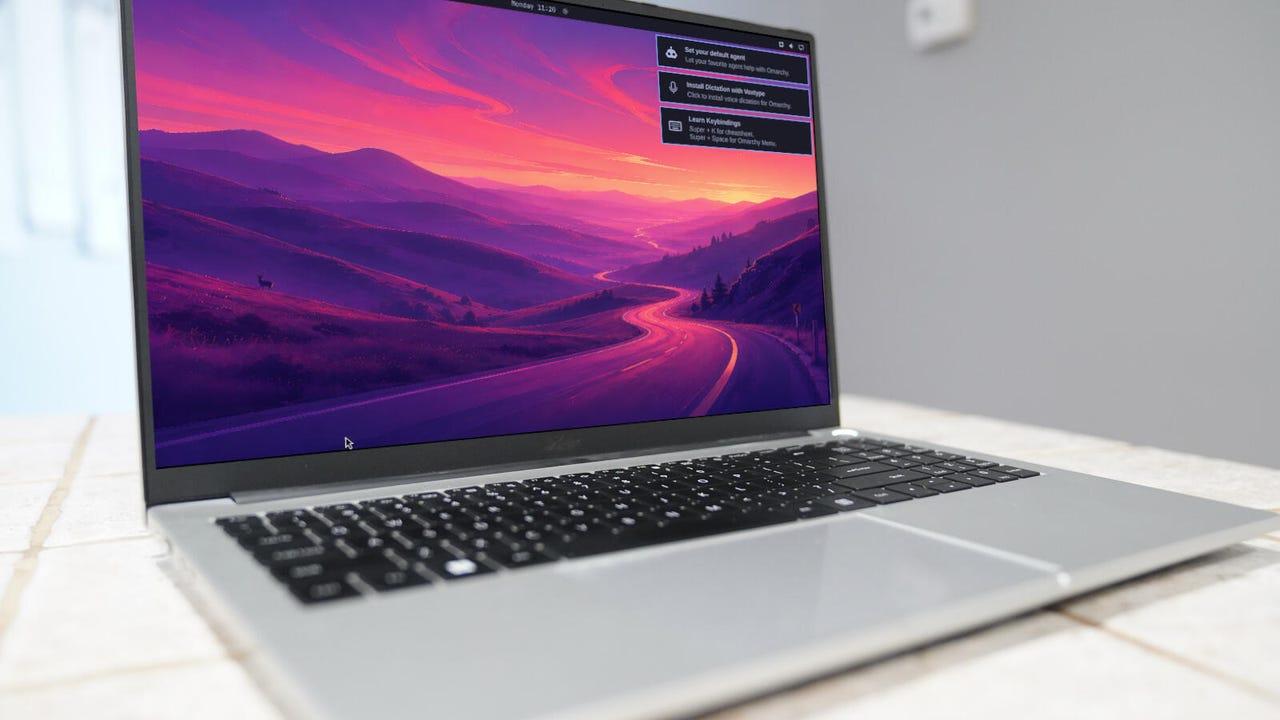
- Последняя версия Omarchy (Quattro) сочетает в себе искусственный интеллект и Hyprland
- Настольная операционная система является мощной, но не для новичков
- Omarchy Quattro объединяет две очень эффективные технологии.
Искусственный интеллект в Linux стал предметом горячих дискуссий. Для некоторых это имеет смысл. Создатель Linux Линус Торвальдс решил, что искусственный интеллект - отличный вариант для процесса разработки ядра.
Я придерживаюсь мнения, что внедрение искусственного интеллекта в Linux ставит операционную систему с открытым исходным кодом на тот же уровень (часто нежелательный), что и Windows и macOS, где многие пользователи предпочитают, чтобы ни Copilot, ни Apple Intelligence не вставали у них на пути.
Также: Линус Торвальдс настаивает на своем, советуя программистам, выступающим против искусственного интеллекта, "раскошелиться"
Но у некоторых разработчиков дистрибутива другие планы. Возьмем, к примеру, разработчика Omarchy, который утверждает:
Все верно, если вы фанат Omarchy, вам лучше привыкнуть к ИИ, потому что официально он является частью системы.
Также: я несколько месяцев боролся с Hyprland, пока этот дистрибутив на базе Arch не исправил это
Итак, прежде чем вы начнете возмущаться, не то чтобы он был встроен в каждый уголок операционной системы, но он, безусловно, есть. Если вы заглянете в официальное руководство Omarchy, то увидите этот отрывок:
"Агенты по программированию ИИ" - важная часть этой головоломки, поскольку она ясно указывает на цель Omarchy - его основная аудитория - разработчики. Поверьте мне, это дистрибутив не для обычного пользователя. Не только агенты искусственного интеллекта ориентированы на программирование, но и среда рабочего стола - Hyprland, что само по себе является загадкой.
Не поймите меня неправильно, мне действительно нравится Hyprland, но если вы не хотите запоминать массу комбинаций клавиш на клавиатуре, вам придется нелегко с этим рабочим столом. Я знаком с Hyprland, и у меня была пара моментов с Omarchy desktop, которые заставили меня задуматься: "А?"
Также: 10 приложений для Linux, которые я устанавливаю на каждую новую машину (и почему вам тоже стоит это сделать).
Один пример был приведен почти сразу. Я пошел настраивать AI agent (выбрав Gemini) и обнаружил, что для аутентификации открыт веб-браузер, к которому я не смог получить доступ, поскольку он находился за оверлеем настройки AI agent. Только после того, как я открыл третье приложение, из-за которого открытые в данный момент окна были разбиты на плитки, я смог завершить это действие.
Even then, logging in with my Google account failed to authenticate the Gemini AI agent, so I had to create an API token instead.
Once I did that successfully, the Omarchy AI agent worked just fine. The agent is essentially a command-line tool that lets you chat with the service you've set up. It works quite well and even allows you to set up sandboxes.
The Omarchy AI agent is a powerful, flexible tool that simplifies using AI from the command line.
It's also possible to work with local AI. To set up a local agent, click the menu button at the top left corner of the desktop and then go to Install > AI > LM Studio. LM Studio is a great option for beginners because it includes a GUI (whereas Ollama only installs the CLI version). Once installed, you can launch LM Studio from the Apps menu. From there, you can download a model of your choice and work from within the LLM app.
The idea of having a GUI and CLI AI tool running simultaneously might excite some users.
One cool thing about this is that you can run LM Studio alongside your default Omarchy AI agent. This way, I can run a local GUI AI and a third-party CLI AI simultaneously.
Also: AI-enriched Linux 7.2 delivers cache-aware scheduling - here's everything new
There are other cool AI-centric features found in Omarchy:
- You'll find an AI agent icon on the top bar the first time Omarchy detects AI coding use on the machine. It can track all of your AI subscriptions, including your plan, usage percentage, weekly limits, and token usage by day and by model.
- The systemd-coredump is also watched by AI for process crashes. When an app or service segfaults, you'll see a "Process crashed" notification. Click the notification, and the crash is handed to your default agent (as well as Omarchy's built-in diagnose-crash skill. This system walks your chosen agent through gathering information from the core dump and deciding whether it's worth reporting.
- Agent skills help AI do things like tailor the system, tweak your Hyprland config, adjust the top bar, and even create a new theme from scratch
Omarchy was one of the first distributions I used that made me fall in love with Hyrpland. If you decide to give Omarchy Quattro a try (and you should), it's important to learn the keyboard shortcuts. One of the first ones you'll want to know is how to close a window, which is Super+W.
Also: I asked Codex AI to customize my Hyprland desktop - it worked, but beginners beware
Beyond that, make sure you open the desktop menu and click Learn > Keybindings, where you can view all of the important keyboard shortcuts to help you navigate the desktop. You'll see shortcuts like Super + Space to open the Omarchy menu, Super + Return to open a terminal window, and many more. One shortcut you won't see listed is for opening the AI agent: Super + Shift + Ctrl + A.
You'll want to know exactly where to access this helpful window until you've memorized the keybindings.
Hyprland is a challenging desktop, but it's also very cool and super efficient (so long as you've memorized the keyboard shortcuts). Once you get the hang of it, you may not want to return to a standard desktop; and once you get a feel for how Omarchy presents AI, you'll see how it can benefit you on the desktop.
You also get a collection of prebuilt themes and the powerful Aether Hyprland theme editor.
Want to customize your Hyprland desktop? This is how to do it.
At the end of the day, Omarchy Quattro is a Linux distribution built for power users who want AI front and center. This OS isn't for Linux newbies or those who aren't in favor of AI being involved in more and more aspects of the operating system.
Also: I used OpenFactory to build my own Linux distro overnight - this AI tool is going to be big
I look forward to seeing what the developer has in store for future releases, but Quattro certainly includes a lot of really impressive features -- whether or not you're a fan of AI.
>