Я протестировал маршрутизатор Fortify от ExpressVPN и получил быструю защиту всего дома
Если вы используете виртуальную частную сеть (VPN), возможно, в какой-то момент вы столкнулись с маршрутизаторами с поддержкой VPN. Эти специализированные устройства создают зашифрованный туннель, чтобы скрыть вашу онлайн-активность, затруднить перехват или слежку за вами, а также замаскировать ваше местоположение, назначив вам IP-адрес в своей серверной сети.
Также: Лучшие VPN-сервисы 2026: протестированы и рекомендованы экспертами
Aircove и Aircove Go от ExpressVPN были первыми VPN-маршрутизаторами компании, но сейчас они выведены из эксплуатации. Новый маршрутизатор Fortify предназначен для устранения этого пробела в качестве обновления на базе более производительной платформы Flint 2 от GL.iNet. Это не совсем новое оборудование, но оно рассчитано на будущее, поскольку обновление системы безопасности старых моделей Aircove запланировано всего на несколько лет. Если у вас уже есть Aircove или Aircove Go, вы можете обратиться в службу поддержки ExpressVPN за кодом скидки на новый Fortify.
Итак, стоит ли покупать новый Fortify? Недавно я протестировал его, и вот что я обнаружил.
Прежде всего, обратите внимание на стоимость. Подписка на VPN стоит несколько долларов в месяц, а стоимость запуска VPN-маршрутизатора составляет несколько сотен долларов (плюс постоянная подписка на VPN).
Хорошей новостью является то, что Fortify включает в себя подписку на ExpressVPN. При покупке маршрутизатора клиенты получают 12 месяцев расширенного тарифного плана ExpressVPN, включая стандартную услугу VPN, менеджер хранения паролей и учетных данных ExpressKeys, блокировку рекламы и трекеров, родительский контроль и доступ к службе конфиденциальности электронной почты ExpressMailGuard.
ExpressVPN Fortify router tech specs- AX6000 Wi-Fi 6 Performance: Max. 1148 Mbps (2.4 GHz) + 4804 Mbps (5 GHz)
- 4×4 MU-MIMO, compared with 2×2 on Aircove
- Quad-core 2.0GHz processor
- 1GB DDR4 memory and 8GB eMMC storage
- Two 2.5 Gigabit Ethernet ports
- Four Gigabit Ethernet ports
- Support for up to 86 concurrent devices
- VPN speeds up to 900 Mbps on WireGuard®*, compared with up to 330 Mbps on Aircove
- Multi-WAN failover
- Smart Queue Management to help manage latency across busy networks
- AdGuard Home support for network-level ad and tracker blocking
- GL.iNet’s networking platform
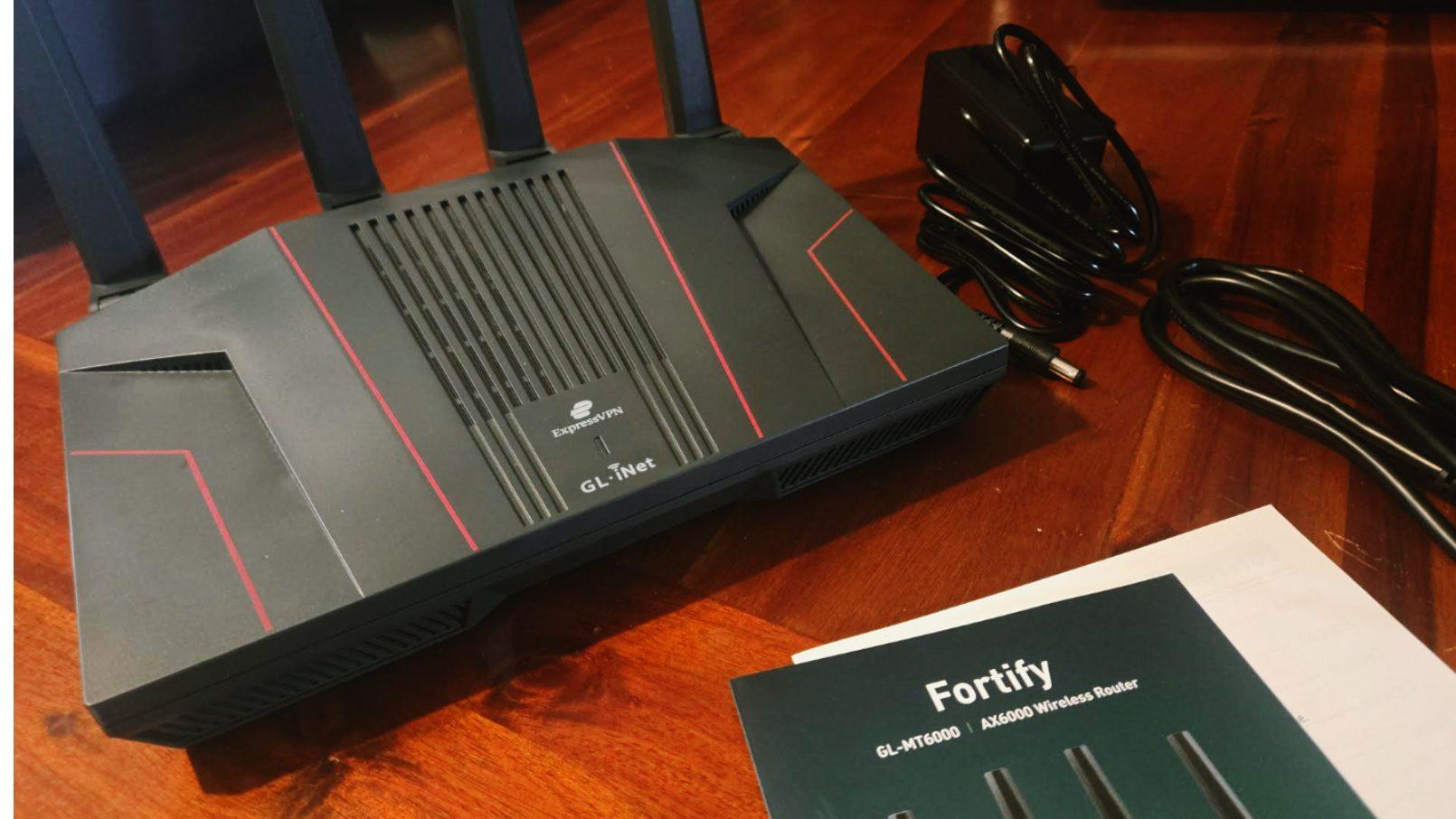
Inside the box, you get the router, an Ethernet cable, a power adapter, and a quick start guide. The Fortify is light, has an attractive matte black finish with red stripes, and I quite like the angular design. The four antennae are attached to the back and can’t be removed, so keep this in mind for placement, but they can be folded flat to the front or back.
At the back of the router, you’ll find the usual ports — a 12V power adapter DC port, the 2.5GbE ports, and gigabit LAN ports. There’s also a clearly marked reset button, which is always a bonus when you don’t have to find a thin, long piece of metal to reset a home networking device that needs a full reboot.
Setting up is simple. Connect the power adapter, connect the Ethernet cable to your preferred LAN port and your modem, then go online, either via cable or Wi-Fi. A sticker on the bottom of your Fortify has the default wireless setup credentials, and your Wi-Fi networks will be named something like "Fortify-XXX."
Now, visit http://192.168.8.1/ to set up your router. You will go through a setup wizard process, which is quick and painless. You will be asked to set up an administrator password, Wi-Fi names for one network on the 2.4Ghz band and another on the 5Ghz band, and you can also choose what type of network you want Fortify to be.
Also: How to keep your Wi-Fi router online during a power outage – with a device you own
You can set up Fortify as a typical router using an Ethernet connection to a modem; to act as a repeater to expand your existing Wi-Fi coverage by linking up with your main router; or to work as a USB tether for sharing your cellular connection.
For many users, the first option is all you need. If you want more granular control over your device, you can explore settings for networking, clients, guest networks, acceleration, content filtering, parental controls, and even setting up access to the Tor network.
Once the router is running, you can set up your VPN. To redeem your 12-month free subscription to ExpressVPN, take a look at the step-by-step instructions it comes with. Alternatively, visit the VPN Client profile in the dashboard and choose the option to claim your 12-month plan. This will lead you to a checkout page where you can redeem your voucher. Then return to your router’s dashboard and sign in with your ExpressVPN credentials.
You can now set up your VPN tunnel, or more than one if you prefer. Each one comes with a standard kill switch that blocks your internet access if your connection drops unexpectedly, keeping your information encrypted.
Router performanceFollowing setup and after a few minutes, Fortify worked as expected. During testing, I also tried out different VPN server locations, all of which worked without an issue.
Fortify home VPN speed testI also wanted to see whether Fortify’s VPN feature significantly affected my speed. You typically expect a speed loss of between 5% – 35% when you use a VPN, as you’re introducing an additional step between your router and its target location that encrypts and reroutes your data. I’ve long considered ExpressVPN one of the fastest VPNs available, and as shown in my speed test below, it did not disappoint when I compared my original speed to using the standalone ExpressVPN app or Fortify’s blanket VPN coverage for my home devices.
One big caveatOverall, Fortify is a solid router you can use with or without a VPN. Speeds are good, and during my testing, the VPN connection remained stable. However, there is a caveat: the hardware. Above, I’ve compared the Fortify with ExpressVPN’s legacy Aircove range. If you compare the Aircove to the Fortify, you will see hardware upgrades such as higher speeds (600 Mbps/1,200 Mbps compared to 1148 Mbps/4804 Mbps), and VPN speeds up to 900 Mbps.
Also: The best free VPNs of 2026: Expert tested and reviewed
However, as ExpressVPN itself notes, the $200 Fortify is based on GL.iNet’s $170 Flint 2, and both have the same GL-MT6000/AX6000 model assignment. Fortify is what the companies call "the first product in a longer-term co-branded router partnership." Now, it’s not to say that Flint 2 hardware is a poor choice — far from it — but it won’t have the capabilities of later models, such as the new Wi-Fi 7 Flint 4.
Final thoughtsFortify is worth it if you are an existing ExpressVPN customer with an Aircove, or if you plan to sign up for a few years. The hardware isn’t new, really, as it is based on the Flint 2 — so you’re effectively paying for a repackaged router with stylish cosmetic changes — which, in my opinion, looks nice in my office — plus ExpressVPN services for a year.
I would have liked to see some kind of hardware upgrade, but there it is.
Also: How to turn your old router into a Wi-Fi extender for free – and fix dead spots
Fortify addresses the same issue as the Privacy Hero 2’s VPN dashboard: the configuration and management side of VPN protection in the home. If you like ExpressVPN, want a convenient dashboard to manage your connections, and you want solid VPN speeds and a large server network, it’s worth considering. However, don’t expect anything revolutionary on the hardware side.
What about Aircove and Aircove Go customers?If you’ve been using the Aircove and Aircove Go to protect your home devices with ExpressVPN, your router will continue to receive security updates and customer support through 2027 and 2028. Aircove and Aircove Go are being retired from sale, and given the limited support window, I wouldn’t recommend buying one now.
Also: Best VPNs for streaming of 2026: Expert tested and reviewed
Aircove and Fortify, comparedThis is how ExpressVPN’s legacy Aircove router compares to the new Fortify in hardware and specifications.
How much does an ExpressVPN subscription usually cost?ExpressVPN subscriptions typically range between $2 and $10 outside of month-to-month plans. You can choose from three tiers: Basic, Advanced, and Express Pro, which cost more if you also want additional security features, such as a password manager.
Note that when you redeem your free year of ExpressVPN, you will need to submit payment details, which leads to an automatic subscription renewal. If you try it out and find you don’t want to renew, remove them before your 12 months expires.
>